
Turn Any Artwork Into a Halftone for DTF and DTG Printing — Automatically in Photoshop
Want your DTF and DTG prints to look hand-screened? OmniSeps converts any PNG artwork into a customizable halftone — frequency, angle, and dot style all yours to control.
8 Mei 2026
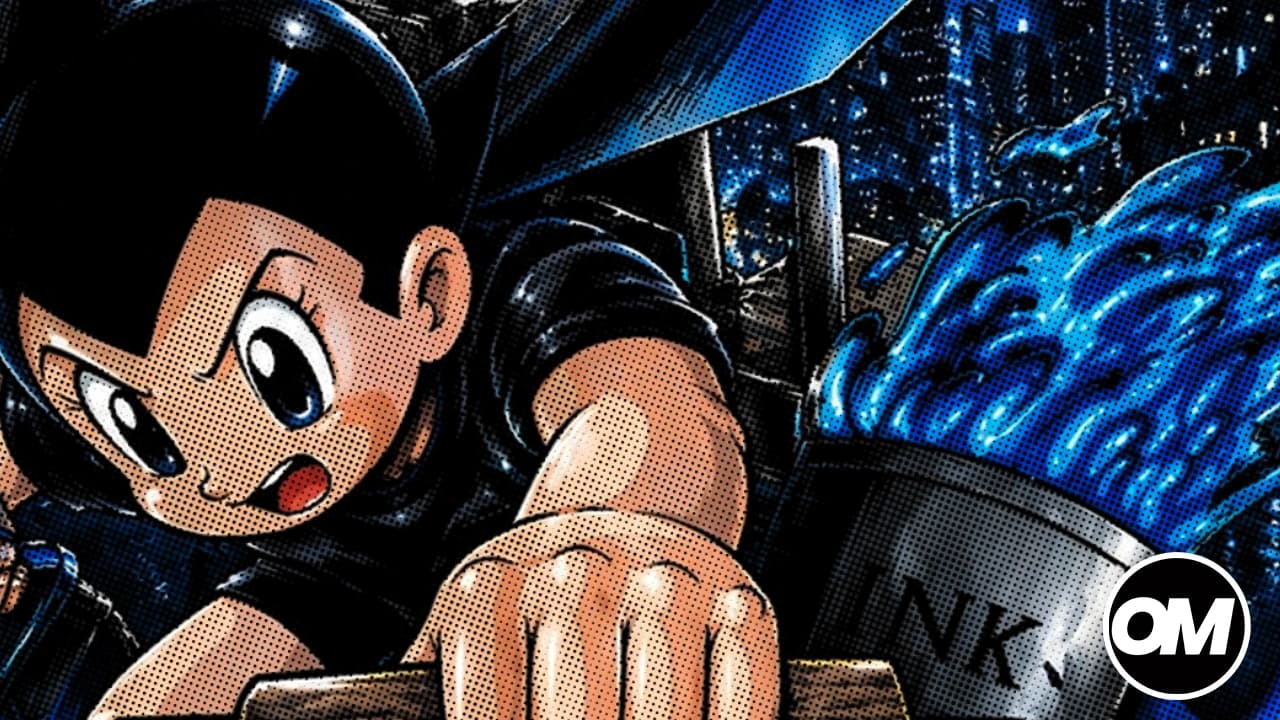
There's a look in custom apparel that never goes out of style — the raw, textured feel of a manually screen-printed design. Visible halftone dots, slightly gritty edges, ink that looks like it was pushed through a screen by hand. For years, that aesthetic belonged exclusively to screen printing shops. DTF and DTG operators had to settle for clean digital output.
OmniSeps changes that. With the DTF halftone feature, you can give any PNG artwork that hand-screened raster look — and print it on any DTF or DTG setup.
The Look Everyone Wants Right Now
Streetwear, vintage apparel, band merch, limited drops — the manual screen printing aesthetic is everywhere. It's not an accident. There's something about halftone dots and raster texture that makes a print feel real, tactile, crafted. Digital printing is fast and convenient, but clean digital output can feel flat compared to the character of a hand-pulled screen.
The demand is there. The question is how to get that look efficiently on a DTF or DTG setup — without setting up actual screens.
How OmniSeps Creates the Raster Screen Print Effect
OmniSeps converts your PNG artwork into a halftone channel — the OMNIDTF channel — that gives your print that classic screen printing raster style. The dot pattern, the texture, the way the design breaks up into a halftone grid — it's all there, controlled and customizable, applied directly inside Photoshop.
Frequency, angle, and dot style are all fully customizable. Want tight, fine dots for a clean vintage feel? Set it that way. Want larger, more visible halftone dots for that bold raster graphic look? Open it up. Want a specific angle that defines your shop's signature style? Lock it in. Every parameter is yours to control.
Works With Any Background Type
Artwork for this kind of effect comes from all over — different designers, different tools, different export settings. OmniSeps handles the three most common PNG background types without requiring you to reformat or reexport the file.
Transparent background — the cleanest starting point. OmniSeps reads the artwork directly and applies the halftone effect to the design area only.
Black background — common for artwork built on dark canvases or exported from tools that default to black. OmniSeps isolates the design and applies the effect correctly.
White background — the default export from most standard design software. OmniSeps strips the white from the calculation so the halftone effect applies to the artwork, not the background.
Pick the mode that matches your file. The raster output comes out clean either way.
Frequency, Angle, Style — All Custom
Every shop that does screen printing manually has its own visual fingerprint. OmniSeps gives DTF and DTG operators that same level of control over three key parameters:
Frequency — controls how dense or open the halftone dots are. Higher frequency means finer dots and a more subtle texture. Lower frequency means larger, more visible dots and a bolder raster feel.
Angle — controls the direction of the dot grid. Different angles produce different visual effects and can be used to define a consistent look across your prints.
Dot style — controls the shape of the halftone unit. Round dots, ellipses, lines, diamonds — each produces a different character in the final print.
Mix and match these three to build the exact raster aesthetic you want, whether that's a precise vintage reproduction or something entirely your own.
Custom Color Background — Coming Soon
Transparent, black, and white backgrounds are supported now. Custom color background support is in active development. When it ships, the update is automatic for all OmniSeps users — no reinstall, no new purchase.
FAQ
What does "raster screen print style" mean?
It refers to the visual look of manually screen-printed designs — halftone dots, visible grain, a slightly textured feel that makes a print look hand-crafted rather than digitally output. It's a specific aesthetic, not a printing method.
Why is this style trending right now?
The handmade, analog aesthetic in apparel has been growing for years across streetwear, vintage-inspired brands, and custom merch. Consumers associate halftone dot patterns with authenticity and craft. DTF and DTG operators who can replicate that look have a competitive edge.
Do I need to be a screen printer to use this feature?
No. This is for DTF and DTG operators who want that screen-printed look without setting up physical screens. OmniSeps handles the halftone conversion inside Photoshop.
What file do I start with?
A PNG of your artwork brought into Photoshop. Choose the background mode that matches your file — transparent, black, or white — and run OmniSeps from there.
Can I control how the halftone looks?
Yes, fully. Frequency, angle, and dot style are all customizable. You can fine-tune the look per design or lock in a signature style across all your jobs.
Is custom color background support coming?
Yes, in active development. It will roll out as an automatic update to all OmniSeps users.
I'm a DTG operator, not DTF — does this work for me too?
Yes. The halftone conversion works for both DTF and DTG workflows. The OMNIDTF channel is a standard Photoshop spot channel that fits into either output process.
Try OmniSeps free for 15 days
Automatic color separation for Photoshop & Illustrator. No credit card required.
Claim Free TrialRelated articles
OmniSeps — The Modern Screen Printing Separation Plugin for Photoshop
OmniSeps is a modern Photoshop separation plugin built on UXP — fast, always auto-updated, and covering the full screen printing workflow from vector separation to CMYK, simulated process, grayscale, and DTF halftone.
What is Trapping in Screen Printing — and How OmniSeps Handles It
Learn what trapping is in screen printing, why it matters for press registration, and how OmniSeps handles it automatically — without ever changing your original design.
Grayscale Screen Printing Separation — Grayscale 1 and Grayscale 2 in OmniSeps
Learn how OmniSeps Grayscale 1 and Grayscale 2 separate artwork by luminance into standardized gray ink channels — and when to choose 6 channels vs 8 for smoother tonal reproduction.
Simulated Process Screen Printing Separation — S1 and S2 in OmniSeps
One click and your full simulated process separation is built automatically. S1 for standard color range, S2 for extended palette with warm tones and skin tones. Fine-tune per channel with built-in adjustment tools.